
Recording Studios & Media Making
Multimedia Resources & Support
The Libraries provides the Open Scholarship Commons (OSC) Recording Studio and Odegaard Library Sound Studio, as well as recording equipment kits for checkout, additional workstations, and training to support your creative multimedia projects!
Open Scholarship Commons Recording Studio
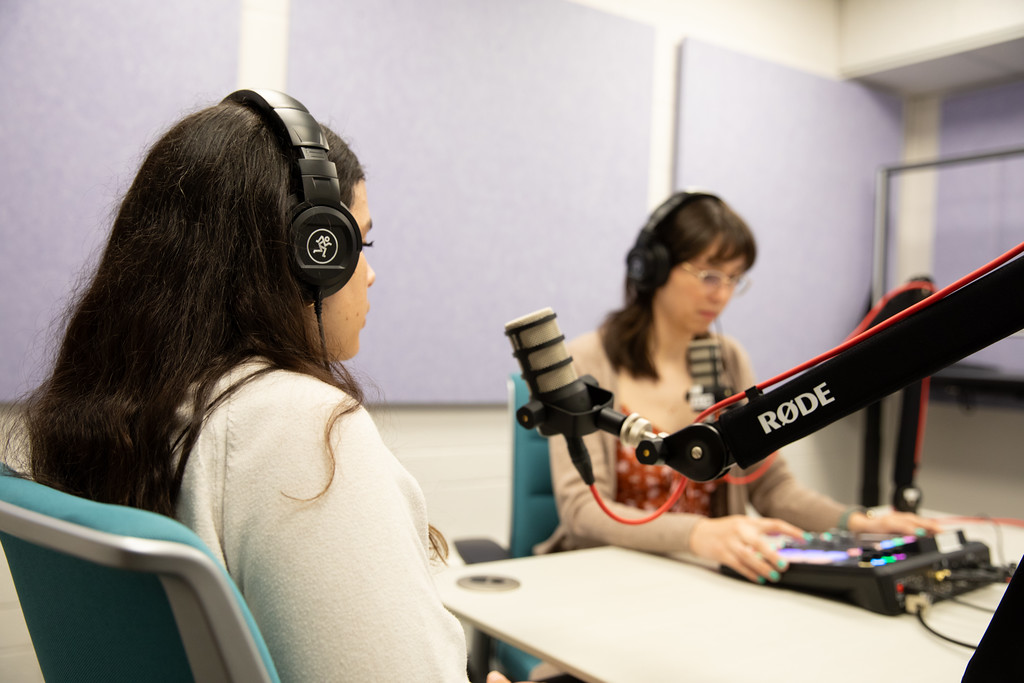
The Open Scholarship Commons (OSC) Recording Studio is a space designed for creativity and collaboration for audio-visual projects. Whether you’re filming a video essay for a class, or creating a podcast about your research, we’re here to help get you started with the foundational tools you need to make your project happen.
The OSC’s mission is to advance open, public, and emerging forms of scholarship by providing interdisciplinary opportunities to build skills necessary to co-create, share, translate, and make the impact of research visible to the world.
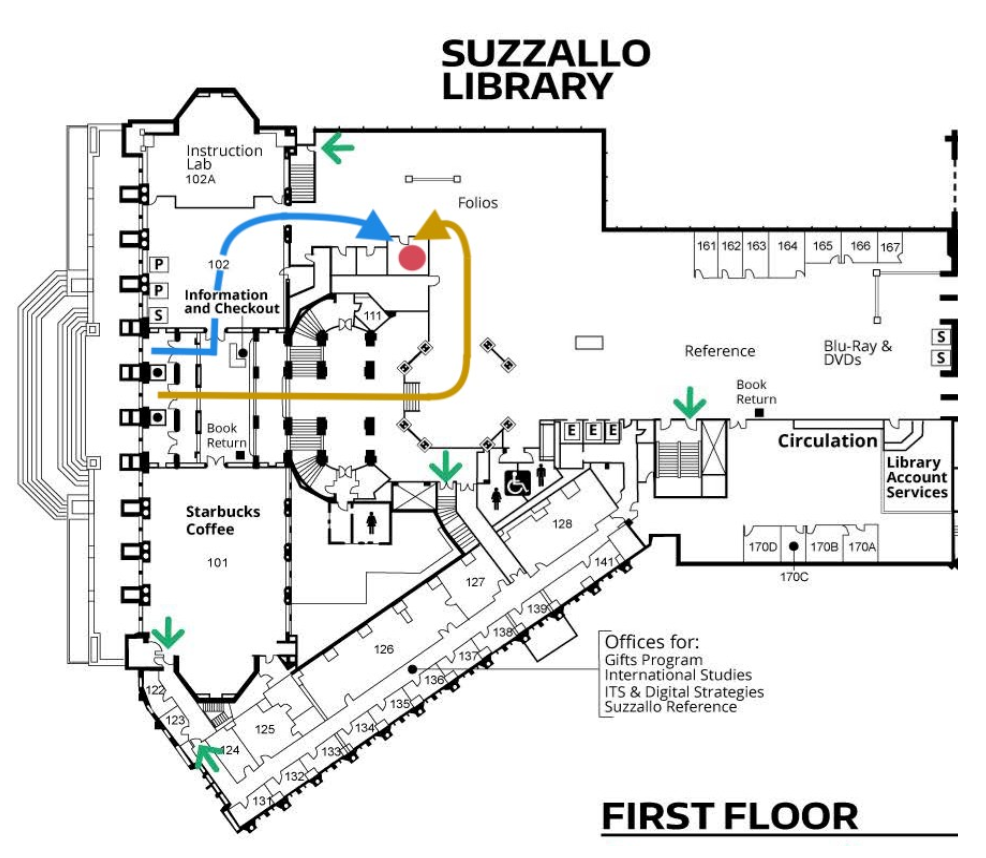
Location – Open Scholarship Commons, Suzzallo Library 1st Floor, Room 159
(see map and directions)
Recording Studio Reservation Policies
Make a Reservation
Reservation requests should be made at least 1 week in advance and are available for a maximum of 3 hours/day.
First-time users must be onboarded by a staff member during your reservation (~20 minutes).
Reservation requests should include:
- Brief description of your project
- How many people you expect to have in the studio (no more than 6 users may be inside the Recording Studio at a time)
- Whether you will need video recording, audio recording, or both
- Whether you will need assistance/guidance from a Recording Studio Specialist during your time
No food, only water allowed: due to the sensitivity of microphones, computers, cameras, and other hardware in the Recording Studio, absolutely no food may be consumed inside of the Recording Studio. Water is allowed in a fully resealable container, such as a water bottle, but no other beverages (e.g. soda, coffee, tea, etc.) may be consumed or opened while inside the studio. See other Use Guidelines >
Cancellation or No-Show: please be courteous to our staff and fellow library users by emailing to cancel your reservation if needed. If you have made an appointment and are not in the studio within 15 minutes of the start time, your reservation is forfeited and cancelled automatically. See other Reservation Policies >
Reservation Policies
- Reservation requests should be made at least 1 week in advance! We also ask that users let us know via email ASAP if they need to cancel or reschedule.
- Reservations are forfeited/cancelled if users are not in the studio within 15 minutes of the start time. See Late Arrival / No-Show Policy >
- Users must complete an onboarding session with OSC staff to use the studio (usually built into first reservation, ~20 minutes).
- Studio may be booked by any UW student, faculty, or staff member with an active NetID.
- Non-UW affiliated guests may be interviewed/recorded in the studio, as long as the UW member by whom they were invited is with them at all times.
- The UW member who makes the reservation must be present for the entirety of the recording studio session. It is fine to finish/leave early, as long as no one else is left in the studio without the person who made the reservation.
- Reservations are available for a maximum of 3 hours per day.
- In order to preserve access to as many patrons as possible, no more than three (3) upcoming reservations may be booked by a single user at any given time.
Late Arrival / No-Show Policy
- Please update your RSVP on the calendar event as soon as possible if you wish to cancel your appointment.
- If you are running late to your assisted or onboarding session, please send an email to [email protected] to let us know! Failure to inform our team that you are running behind will result in cancellation of your appointment if you are more than 15 minutes late. If this happens, you will need to submit the request form again and await confirmation of a new reservation time. This is in alignment with the reservation policies of other bookable spaces in the Suzzallo and Allen Libraries.
Recording Studio Use Guidelines
To comply with the UW Libraries Code of Conduct, highly reverberative instruments (such as brass instruments, for example) may not be played in the recording studio. Similarly, no instruments requiring amplification (such as electric guitars) may be used in the OSC Recording Studio unless directly linked to the interface. No external amplification is permitted. For accessibility and safety reasons, the removal of any existing studio equipment is not permitted. Therefore, any instruments that would require the removal of existing equipment in order to fit in the space (such as an upright piano or drum kit) is also not permitted.
Examples of instruments that have been used in the studio include:
- Acoustic guitar
- Human vocals/singing
- Lighter woodwinds (e.g. flute)
If you have a particular instrument you would like to test out in the studio, please contact us at [email protected]. We are happy to set up a time to do a trial run of your instrument in the studio and determine if our space can accommodate your needs.
- Absolutely no food may be consumed inside the Recording Studio
- Water is allowed in a fully resealable container such as a water bottle, but no other beverages (e.g. soda, coffee, tea, etc.) may be consumed or opened while inside the studio.
- “Spill-proof” tumblers with straws are not permitted.
The OSC Recording Studio should be physically accessible to everyone when it is in its default layout. This includes requirements for maneuvering clearances, interior doorways, and many items in the studio being on wheels for easy relocation and maneuverability. For this reason, all equipment must be unplugged and put away at the end of each recording session. If you experience any issues using the space or have any concerns before or during your reservation, please contact a library staff member for assistance or email [email protected].
No more than six (6) total users may be inside the Recording Studio at a time.
- 4 people in Recording Space
- 2 people in the Editing Booth
Users should wipe down the external surfaces of the microphones with the alcohol sanitizing pads provided in the studio before and after use. No other cleaning substances should be used on the microphones, as they are delicate and certain chemicals can damage the internal hardware. A trash can is provided in the studio to dispose of these alcohol wipes and wrappers.
- Directions to Studio (ramp accessible): When entering Suzzallo Library from Red Square, take an immediate left in front of the Welcome/Info Desk toward the Instruction Lab. Go through that room and turn right through the doorway leading to the Folio shelves. The OSC Recording Studio is in Room 159, the last door before reaching the open area with desks and tables.
- Directions to Studio (with stairs): When entering Suzzallo Library from Red Square, go straight past the Starbucks and grand staircases and down the half floor steps. Turn left when you see the vending machine with school/test supplies and you will come to the Folio shelves. Turn left and you will find the OSC Recording Studio in Room 159, the first door on your left.
See more detailed information about use in the OSC Recording Studio Manual
OSC Recording Kits
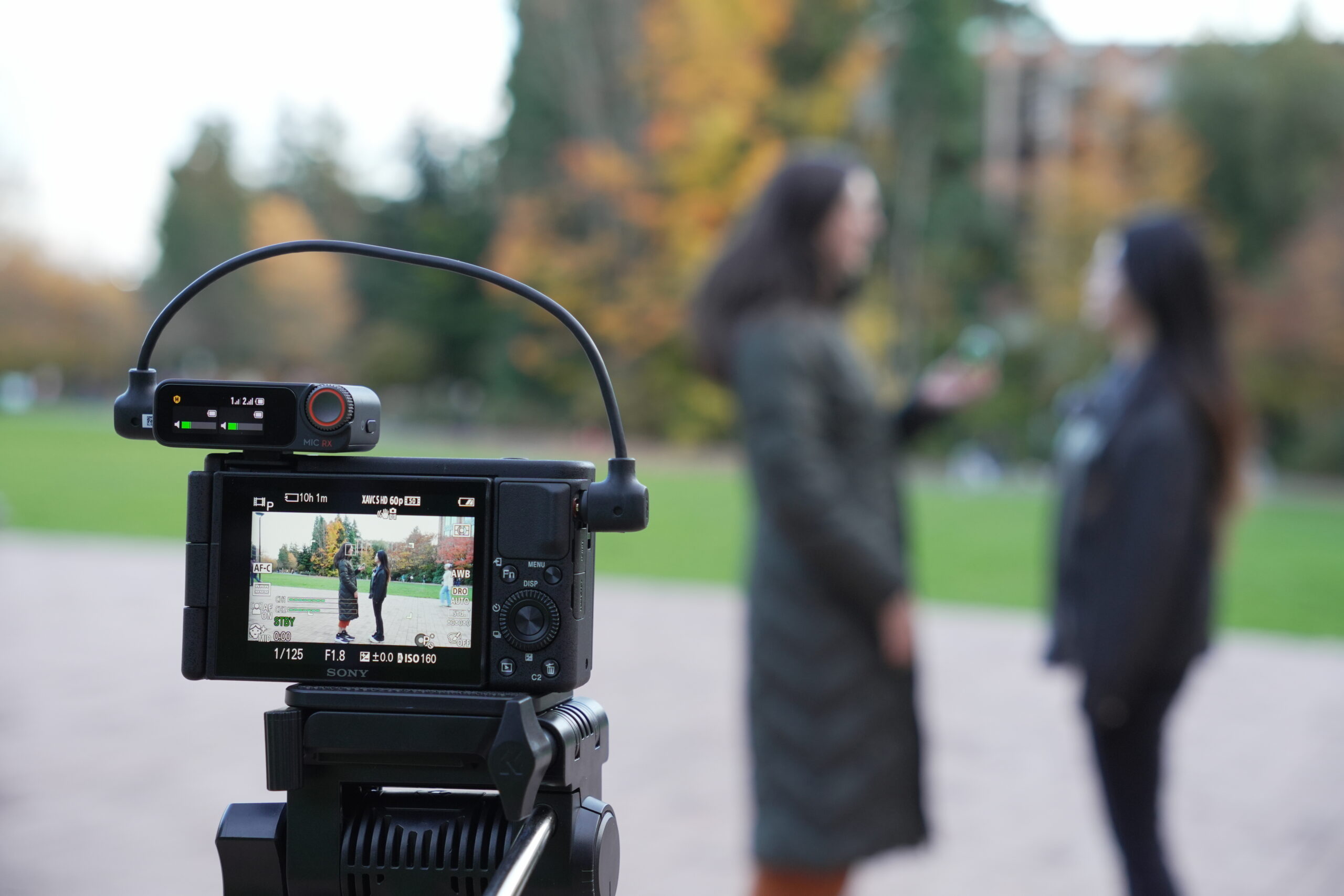
The Open Scholarship Commons has three (3) Recording Kits available for checkout to current UW students, faculty, and staff. Kits require a reservation
OSC Recording Kits include:
- LED light with diffusion and color filters + Tripod
- Sony ZV-1 Digital Camera (takes photos and video) + Tripod
- DJI Mic 2 Wireless Microphone Kit
Recording Kit Reservation Policies
Make a Reservation
Reservation requests should be made at least 1 week in advance and can be loaned for 4 days.
First-time users must be onboarded by a staff member during your reservation (~20 minutes).
OSC Recording Kit Reservation Form
Reservation Policies
- Loan period: 4 days.
- Any missing or broken pieces of the Recording Kit upon return is subject to a full replacement fee.
- Recording Kit reservation requests should be made at least 1 week in advance! We also ask that users let us know via email ASAP if they need to cancel or reschedule.
- Reservations are forfeited/cancelled if users are not at arranged meeting within 15 minutes of the Recording Kit pickup time.
- Users must complete an onboarding session with OSC staff prior to Recording Kit checkout (usually built into first reservation, ~20 minutes).
- Recording kits may be booked by any UW student, faculty, or staff member with an active NetID.
- In order to preserve access to as many patrons as possible, no more than two (2) upcoming reservations may be booked by a single user at any given time.
Late Arrival / No-Show Policy
- Please update your RSVP on the calendar event as soon as possible if you wish to cancel your appointment/checkout.
- If you are running late to your assisted or onboarding session, please send an email to [email protected] to let us know! Failure to inform our team that you are running behind will result in cancellation of your appointment if you are more than 15 minutes late. If this happens, you will need to submit the request form again and await confirmation of a new reservation time. This is in alignment with the reservation policies of other bookable spaces in the Suzzallo and Allen Libraries.
Media Editing at the OSC Computer Lab
There are five (5) Dell PCs in the Open Scholarship Commons that are equipped with media editing software (log in with UW NetID required)
Media software includes:
- Animate
- Audacity
- RODE Central
- Adobe Creative Cloud:
- Photoshop, Premiere Pro, After Effects, Audition
- NOTE – Saving your work: users will sign in with their NetID to Creative Cloud, but syncing is disabled by default. Users must save to their own removable storage device (e.g. USB drive) or personal cloud storage (e.g. Google Drive). All data will be erased at the end of the day!
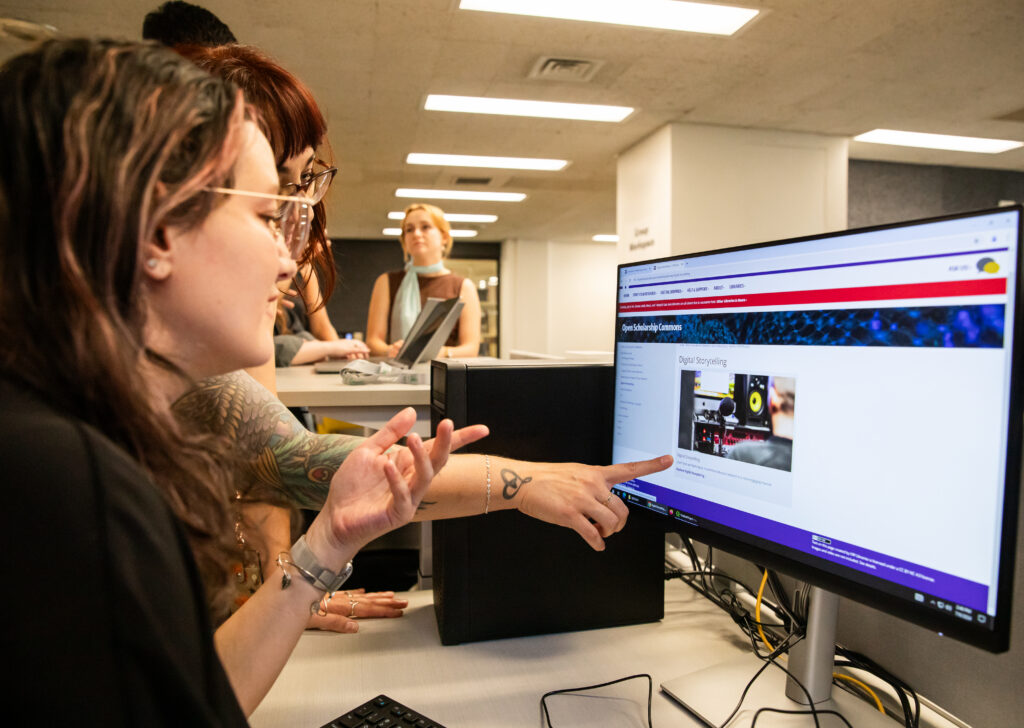
These computers are available on a first come, first served basis and do not have a time limit for use. Additional media editing computers are available for the UW community in the Odegaard Undergraduate Library. Users must save to their own removable storage device (e.g. USB drive) or personal cloud storage (e.g. Google Drive). All data will be erased at the end of the day!
More Media Support
Odegaard Library Sound Studio
A recording and editing studio is also available at Odegaard Library. Equipment available for checkout.
Media Making – Classroom and Instructor Support
Library staff at the Open Scholarship Commons are available to support your class with media-making and introduce them to the OSC Recording Studio and other resources.
Digital Project Design
Tools and support to help you create and communicate your research in a variety of digital formats
Open Scholarship Commons
Interdisciplinary spaces and services to advance open, public, and emerging forms of academic research